Passkeys
Teampass keeps the passkeys of other sites in its items, with a private key that never leaves the server, and users can sign in to Teampass itself with a passkey, as a second factor or without a password.
Teampass is an open-source credential vault you run yourself: folder-level access control, authenticated AES-256-GCM encryption and built-in compliance evidence. Your secrets never leave your infrastructure.
A homelab and a regulated enterprise want opposite things from a password manager. Teampass ships both sets of features — start from the one that describes you.
Own your vault, literally.
No account to create, no company behind the curtain holding your data. Install it on hardware you control and keep it.
Stop sharing passwords in chat.
Shared credentials with real boundaries, so onboarding and offboarding stop being a manual scramble through a spreadsheet.
Prove your access controls, don't just claim them.
Everything an auditor asks for — who has access, who approved it, when it was last rotated — comes out of the product rather than out of a spreadsheet you rebuild each year.
The 3.2 line rebuilt the cryptography and added the governance features auditors keep asking for. Everything below ships in the free, open-source server.
Teampass keeps the passkeys of other sites in its items, with a private key that never leaves the server, and users can sign in to Teampass itself with a passkey, as a second factor or without a password.
LAPR changes the passwords of local Linux accounts over SSH, agentless, from the item that stores them — pushing to the server first, then re-encrypting the vault entry.
AES-256-GCM replaces AES-CBC, with random IVs, per-secret salts, 256-bit object keys, PBKDF2 at 600,000 iterations and HKDF-SHA256. Existing vaults migrate lazily, on first read.
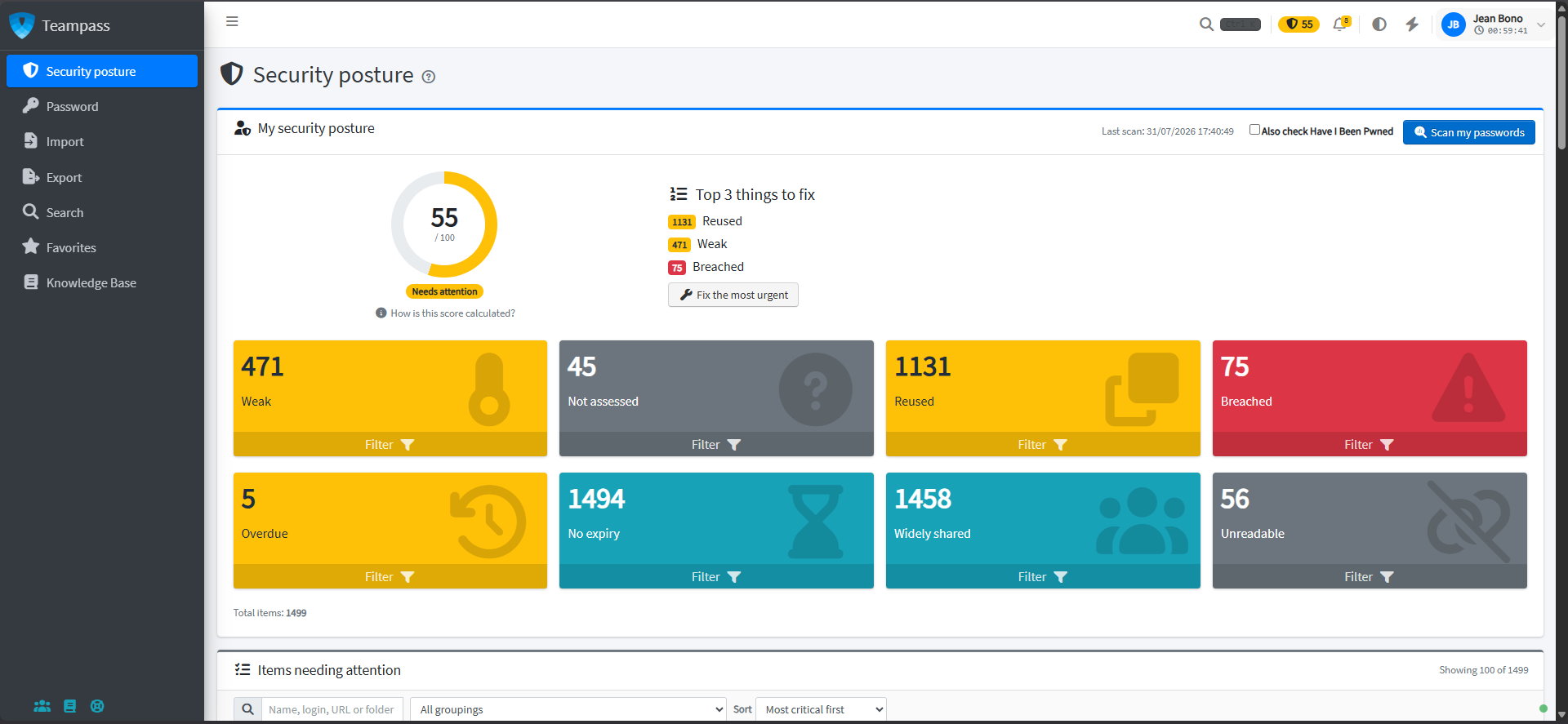
Weak, reused, breached and overdue credentials at a glance, a personal security score for every user, and quality indicators shown while editing an item.
Access recertification campaigns, rotation policy tracking, leaver risk detection, four-level data classification and CSV evidence export.
Share a credential with someone outside Teampass under an expiry, a view limit and an optional recipient passphrase.
Every capability below is part of the open-source server. There is no feature-gated edition and no seat count to manage.
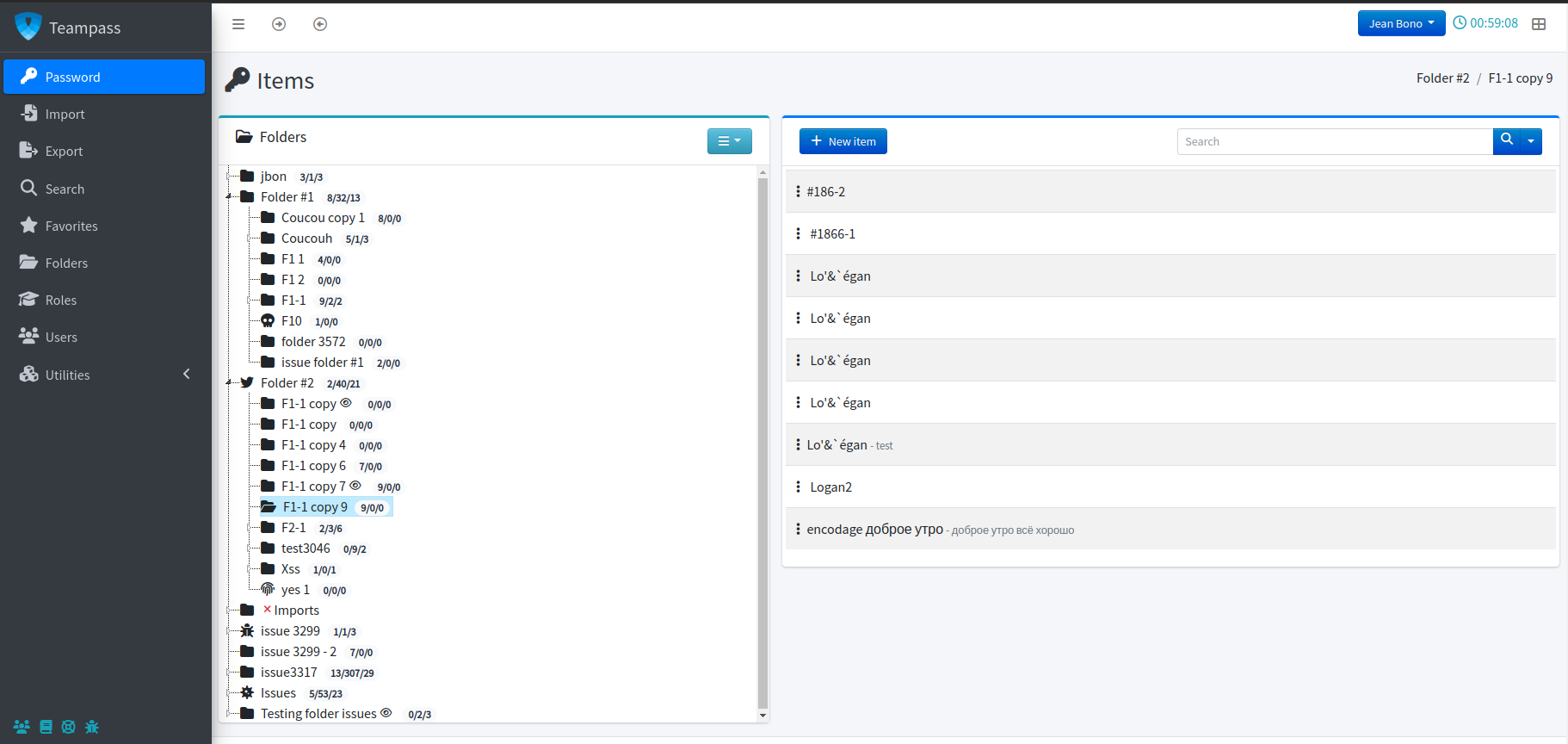
A tree of folders, roles carrying pre-set rights and per-user overrides. The same rules are enforced in the web interface and through the API.
AES-256-GCM with random IVs and per-secret salts, 256-bit object keys and PBKDF2 at 600,000 iterations. Personal folders stay readable by their owner alone.
Weak, reused, breached and overdue credentials are scored continuously, with a personal score per user and an optional email digest.
LAPR changes the passwords of local Linux accounts over SSH, agentless, from the item that stores them. The server accepts the new password before the vault records it.
Recertification campaigns with immutable decisions, full item history, rotation evidence and exportable access matrices.
LDAP and Active Directory including nested groups, OAuth2 single sign-on and configurable RFC 6238 TOTP profiles.
A REST API with folder CRUD and a one-call folder tree, plus native Bash and PowerShell clients for scripted operations.
Importers for Bitwarden, LastPass, 1Password, KeePassXC, KeePass XML and CSV. Export to KeePass 2.x XML — your data is never held hostage.
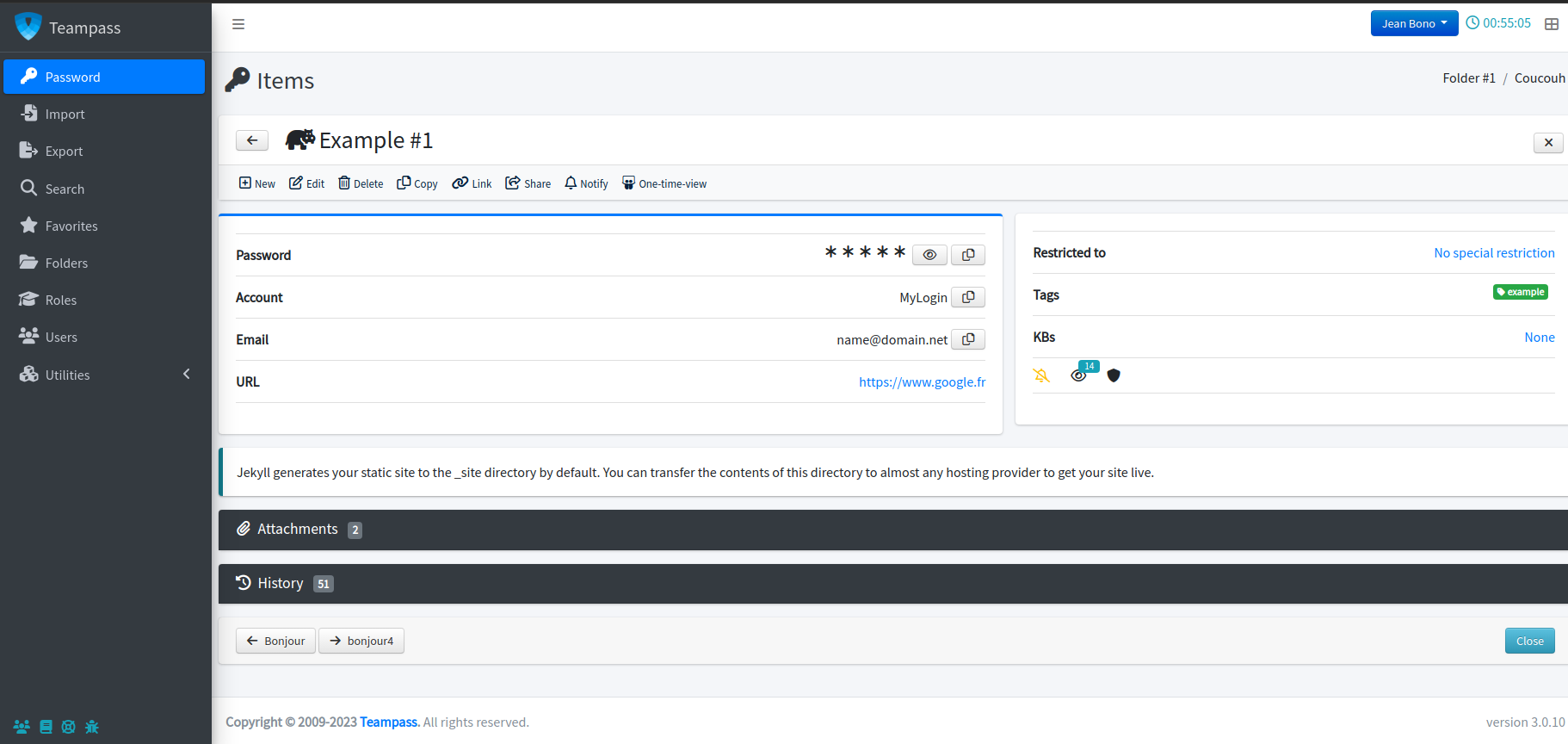
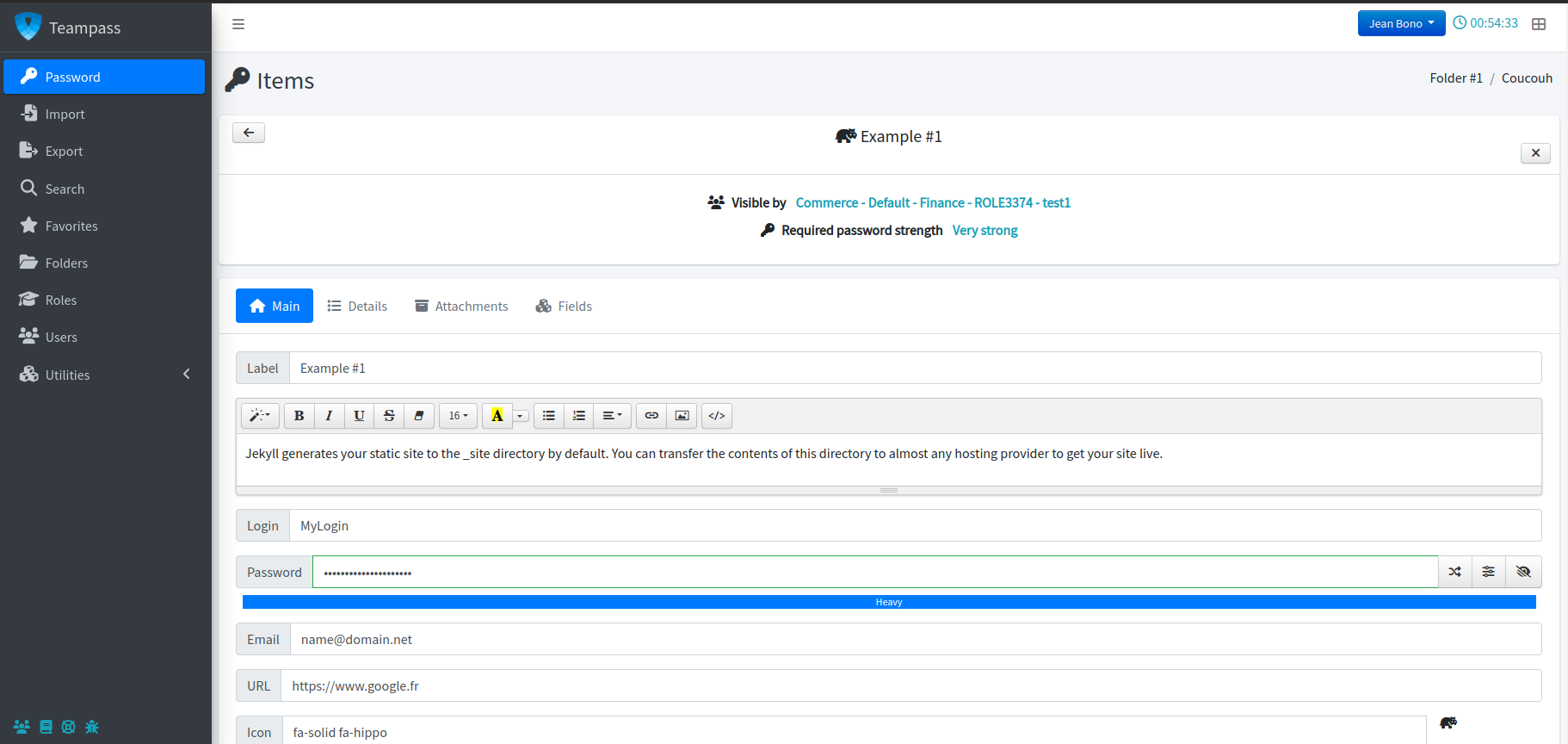
Ctrl-K command palette, notification centre, favourites, tags, custom fields, attachments and browser autofill through the extension.
LAPR rotates local Linux account passwords over SSH, straight from the item that stores them. Agentless — nothing is installed on the target servers — and part of the open-source server, not a separate product.
The entire footprint on a managed host:
printf '%s:%s\n' 'svc-deploy' '••••••' | chpasswd
No agent, no package, no inbound port. One outbound SSH session from the Teampass host, in a background task, using the SSH library already bundled with the application.
Secrets are sealed with authenticated AES-256-GCM using a random IV and a per-secret salt. Keys are derived with PBKDF2 at 600,000 iterations and HKDF-SHA256. Object keys carry 256 bits of entropy. Personal folders are decryptable by their owner and the recovery account, and nobody else.
We publish every advisory we fix — nine were closed in 3.2.1.1 alone. A password manager that reports no vulnerabilities is not a password manager that has none.
Eight screens from Teampass 3.2 — a working day for a user, and the parts an administrator lives in.
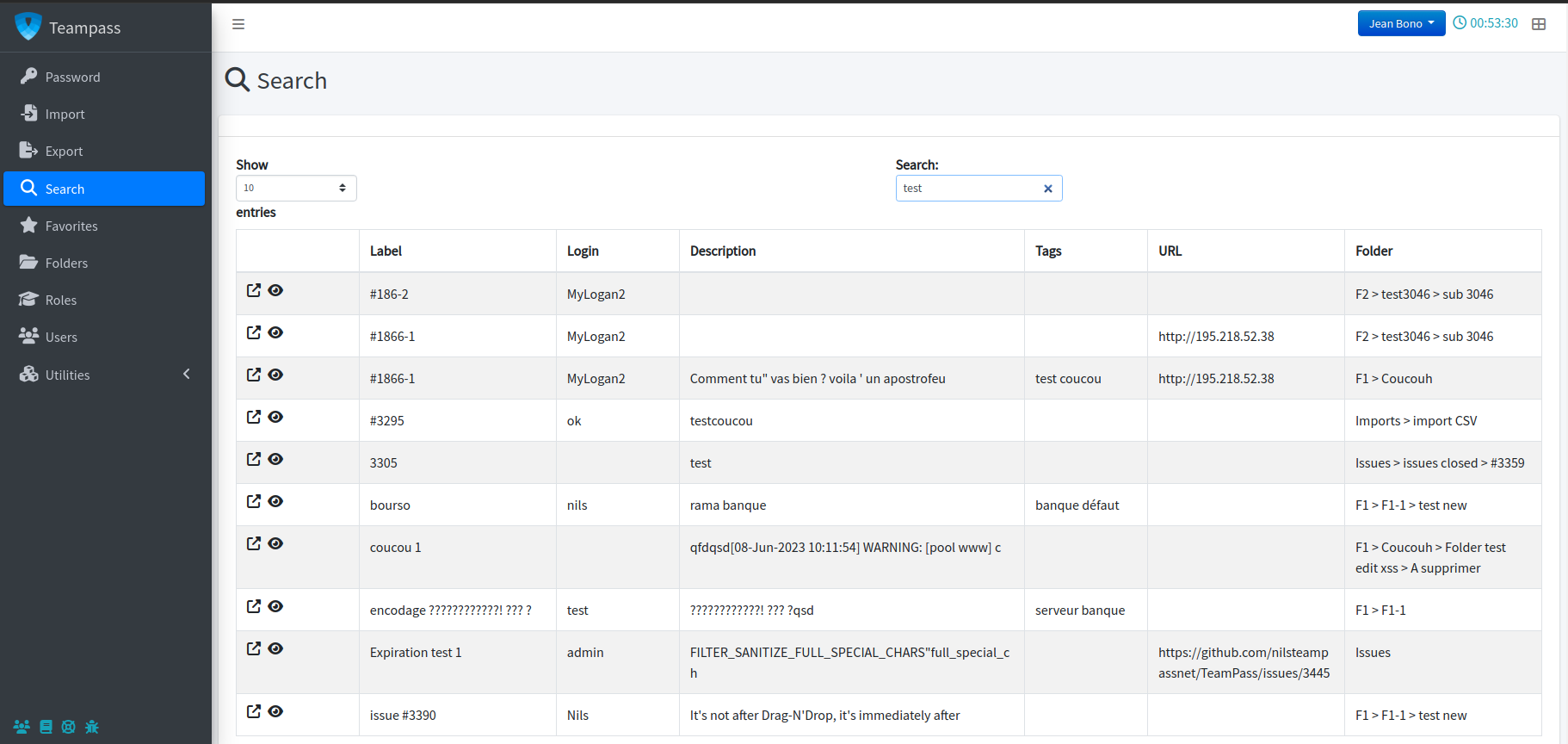
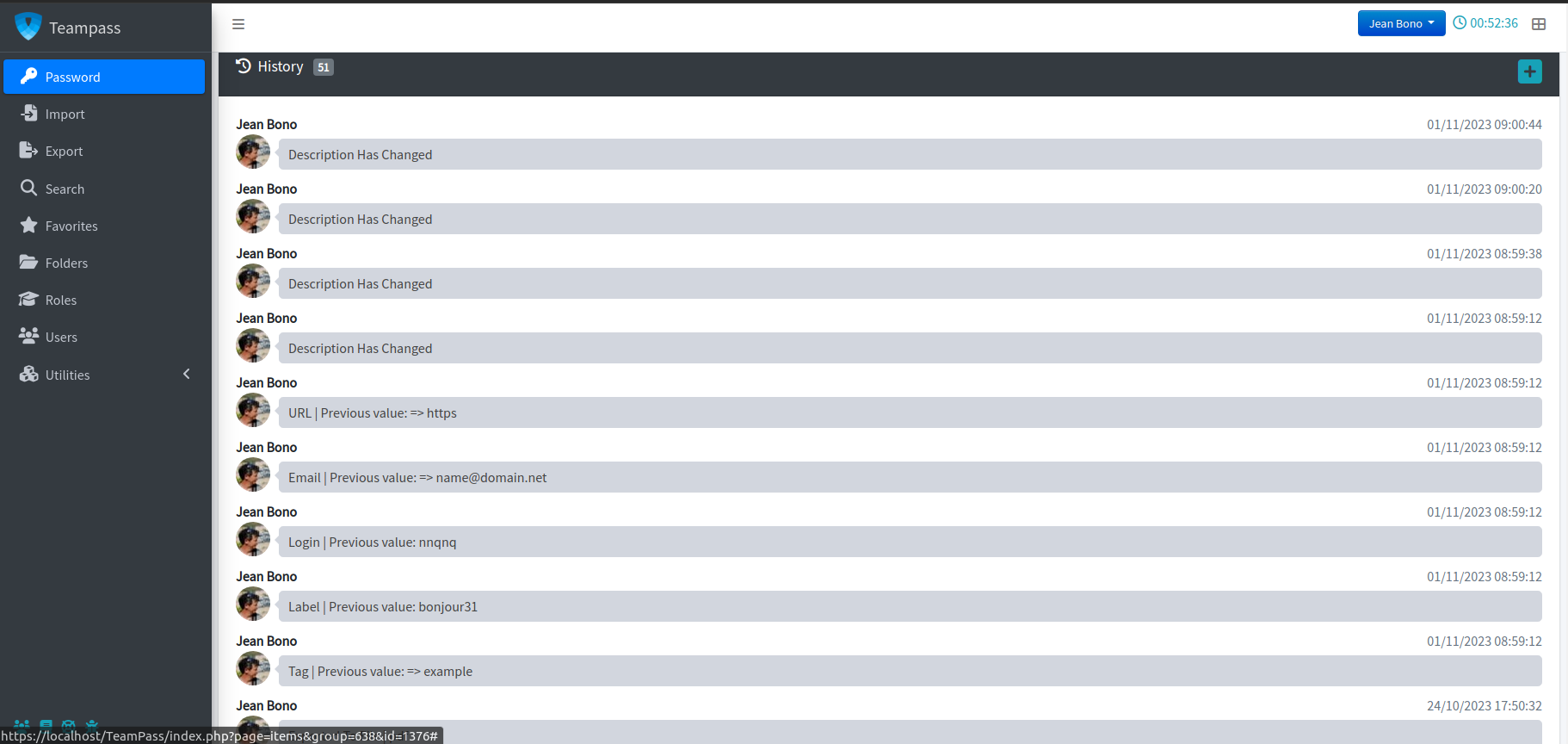
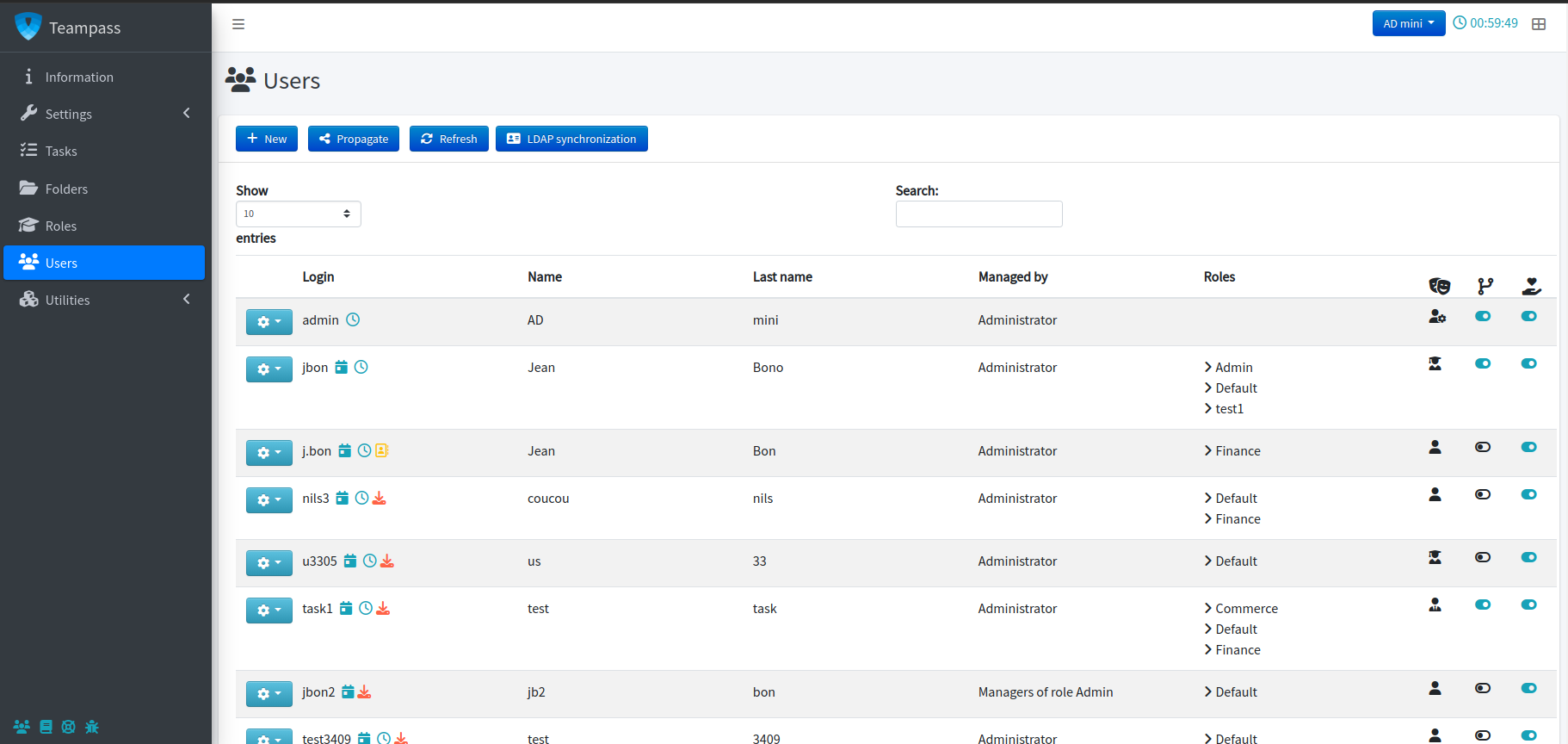
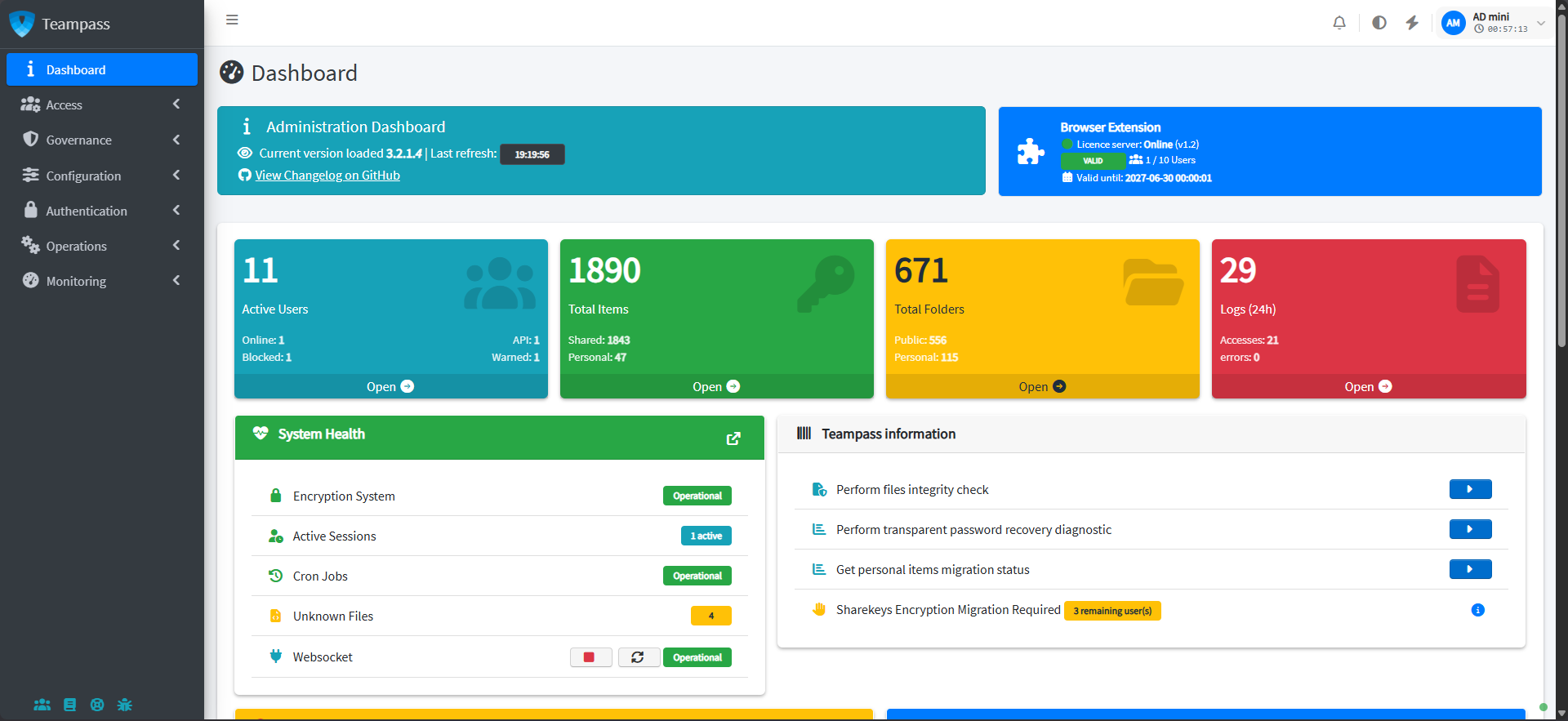
Identity from your directory, secrets into your pipelines, and a way out of the product whenever you want one.
Nested groups resolved in both login modes, with group-to-role mapping.
Single sign-on against your existing identity provider.
Configurable RFC 6238 profiles — algorithm, digit count and period.
Item and folder CRUD, plus the whole folder tree in a single call.
Ship credentials into scripts and pipelines without scraping the UI.
Official image and a compose file for a quick, reproducible install.
Bitwarden, LastPass, 1Password, KeePassXC, KeePass XML and CSV.
KeePass 2.x XML, PDF and an encrypted offline HTML copy.
Quotes are reproduced as given, trimmed only with ellipses.
“When I first came to my company, it was like Westworld with regards to password management — anything goes. Since we've rolled out TeamPass throughout the org, it not only makes it easy to share passwords, but staff members always know where to go to get the latest password. This takes a lot of the pain out of rotating passwords and enforcing strong password standards, which is often a barrier to good password hygiene.”

“We are a small charity-based company and being able to use a product that is fully secure and internal ticked all the boxes for us. After installing Teampass and trialling multiple other applications, I can say Teampass is by far the best option for us. It's easy to use, simple to manage and requires little support once running… I would highly recommend this product for IT support team password management.”

“Our team uses TeamPass daily managing thousands of accounts. It works well, it keeps our passwords secure, and we don't have to worry about working around all of the exposures other hosted solutions have to deal with on a regular basis.”

“Nous utilisons TEAMPASS depuis plusieurs années et nous n'avons à ce jour pas trouvé d'outils remplissant à la fois les fonctions de partage d'une même base de données, catégorisation des droits/accès, multi-utilisateurs. L'outil TEAMPASS a répondu aux exigences de la RGPD (validé par notre DPO), de l'ISO 27001 et de l'ISO 9001 (validé par nos auditeurs) et nos commissaires aux comptes.”
Translation: “We have used Teampass for several years and have yet to find another tool that combines shared database access, categorised rights and multi-user management. It met our GDPR requirements — validated by our DPO — as well as ISO 27001 and ISO 9001, validated by our auditors and statutory accountants.”

The Teampass server is free and open-source, and always will be. The browser extension is what funds continued development.
Community
Free forever
The complete self-hosted server, with every security and governance feature.
Pro extension
From €49 per year
Browser autofill and capture for the whole team, on top of the same free server.
Services
On request quoted per engagement
Feature development, priority handling and deployment help, directly from the maintainer.
Bugs and feature requests belong on GitHub, where they stay public and traceable. Everything else can come straight to the inbox.
A Docker image, a compose file, or a plain PHP install on a server you already own. No account, no trial clock, no sales call.